
Do this now
Reply to the security review
Two findings left. Draft replies in the doc.
For ADHD brains and busy weeks
Most task apps show you everything, all the time. Todo Tracker shows you one thing to do now, keeps the rest out of sight until it's due, and lets your AI agents help. Your tasks stay plain markdown files in a folder you own.
Do this now
Two findings left. Draft replies in the doc.
Try it: press Mark done or Later. The next thing takes its place. Nothing else asks for your attention.

A big card says what to do now. The rest waits below, in the order you chose. Something new never takes over your focus.
Snooze a task and it leaves the list. It comes back on time, with a reminder. Nothing rots at the top.
One markdown file per task, in a folder you own. Open it in Obsidian, edit it anywhere, keep every version.
Features
One task, big and clear, with its reminder, notes and buttons: Mark done, Later, Note, Focus, Timer. Not the right one? Skip moves it down one. Drag the list into your own order and it stays that way.
Press Later and pick one. Each says when the task comes back.
Or type it the way you'd say it (fri 14:30, next week), or wait
until another task is done.
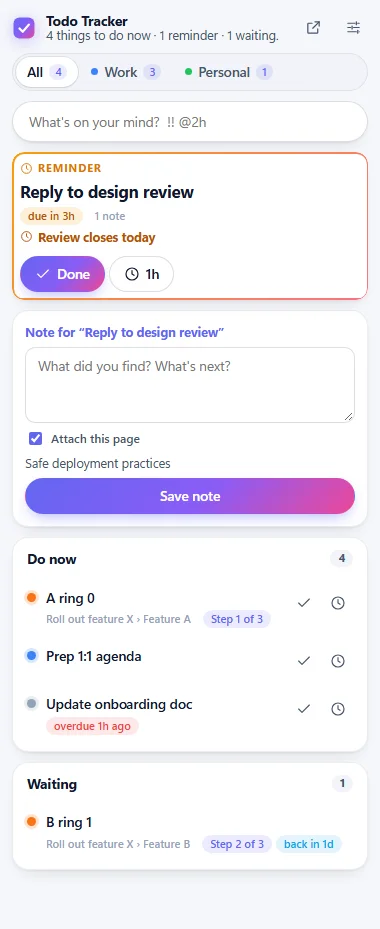
Jot down where you got to, right on the card. The task you're on shows every note, newest first, with who wrote it: you, or Agent: claude. The browser extension can attach the page you were on.
Start a focus session on a task and its time counts on that task. When it ends, a full-screen break reminds you to rest: take it, skip it, or start the next focus now. A timer on every task, and reports that show where your week went.
Mark draining tasks ⚡⚡⚡ and easy ones ⚡. Say how much you have in a day. Today tells you "⚡ 4.5 of 10 planned", and the plan turns red before you've planned more than you have.
Type a rule: every weekday, every 2 weeks on Monday, Thursday,
every month on the last Friday, every 3 days when done. Done moves it to
its next time.
Break a project into steps that unlock one at a time. Only the current step shows in Do now. Set a wait between steps ("ring 1 tomorrow") and the next one comes back by itself. A progress bar shows how far along each one is.
Type tasks the way you think. On Windows, Ctrl+Alt+Space opens quick capture from anywhere.
Deploy ring 2 !! @2h due:tomorrow #release
A quick look
The full app has more views for planning and looking back. Open them when you need them; Today stays the place to start.
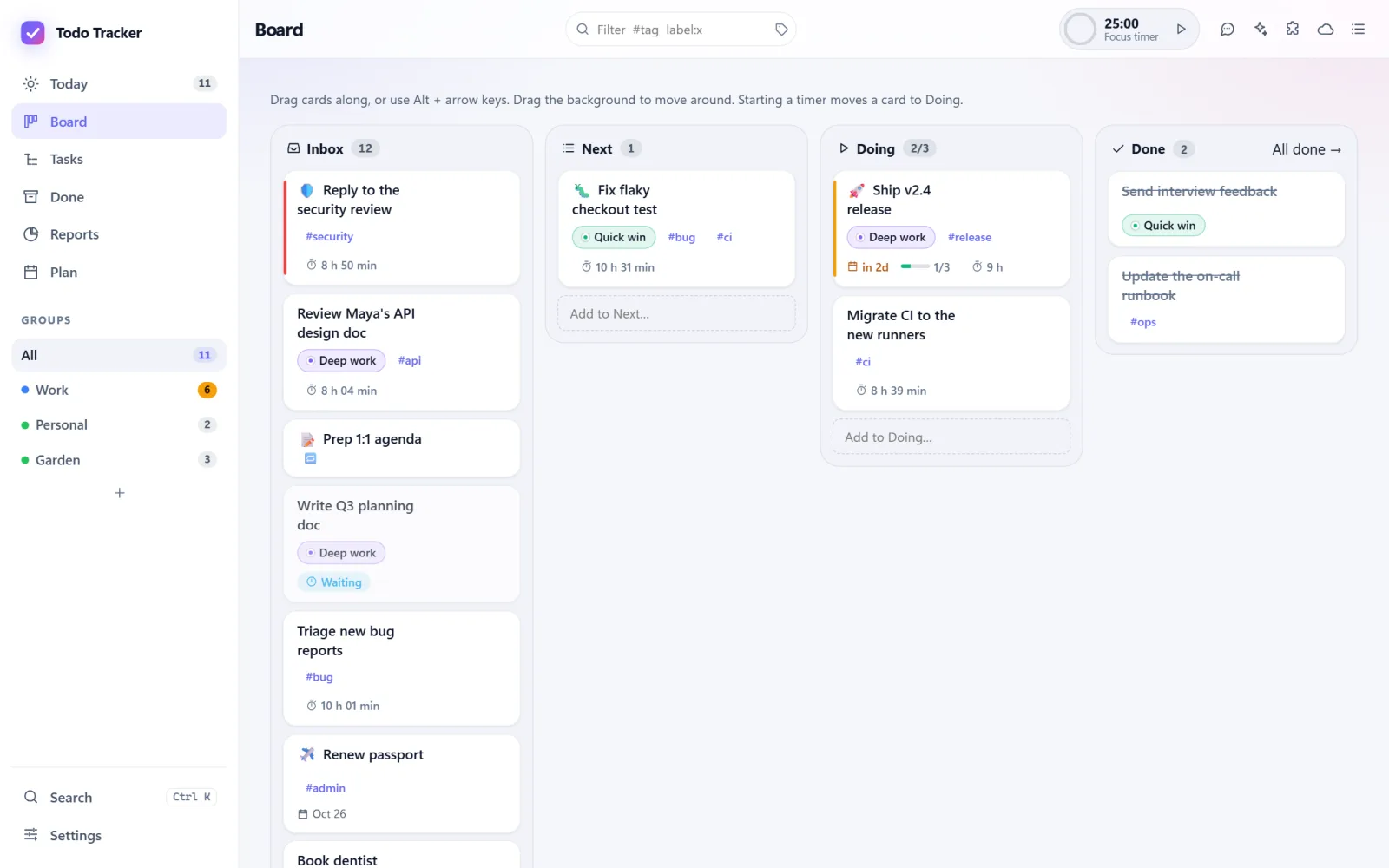
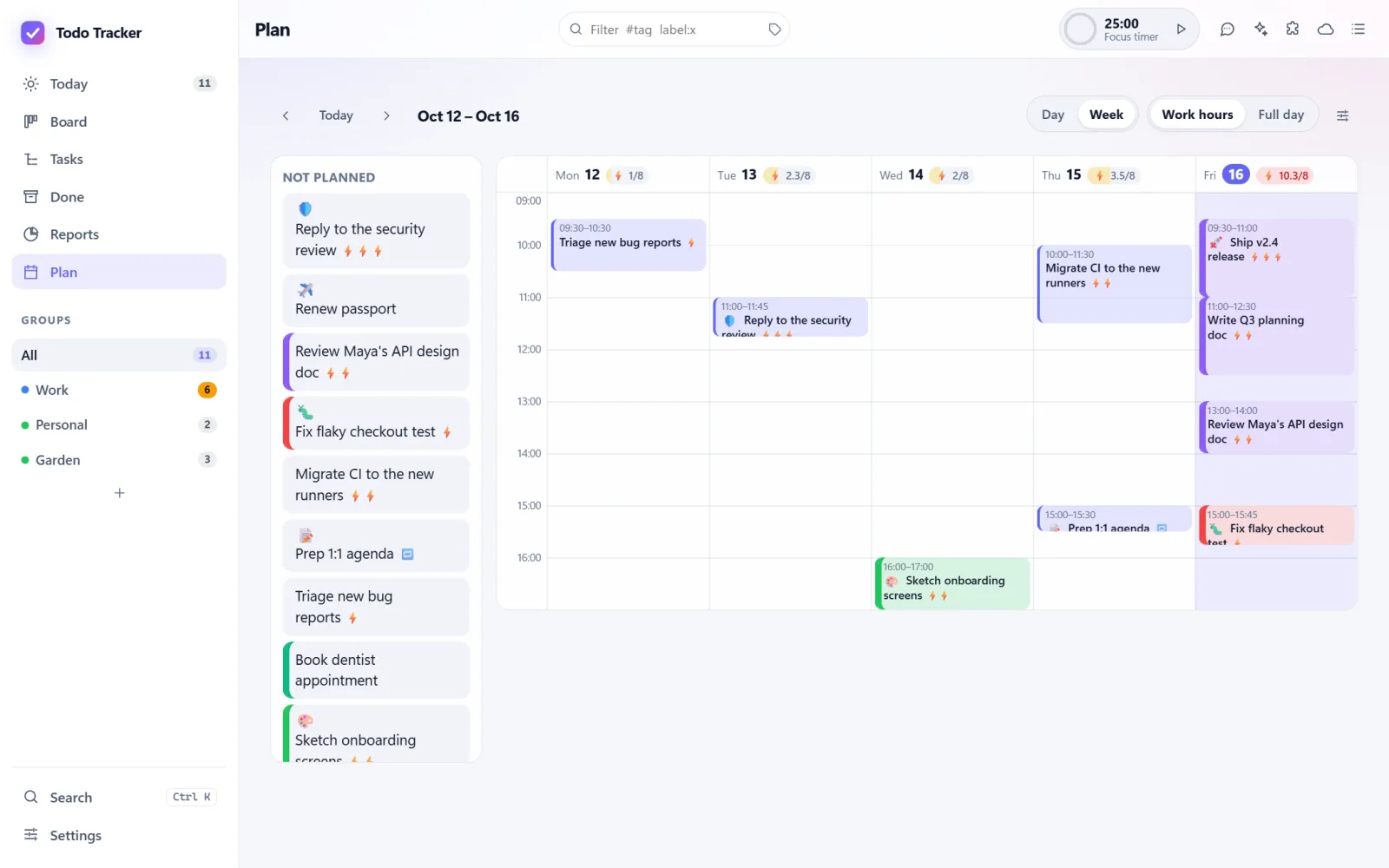
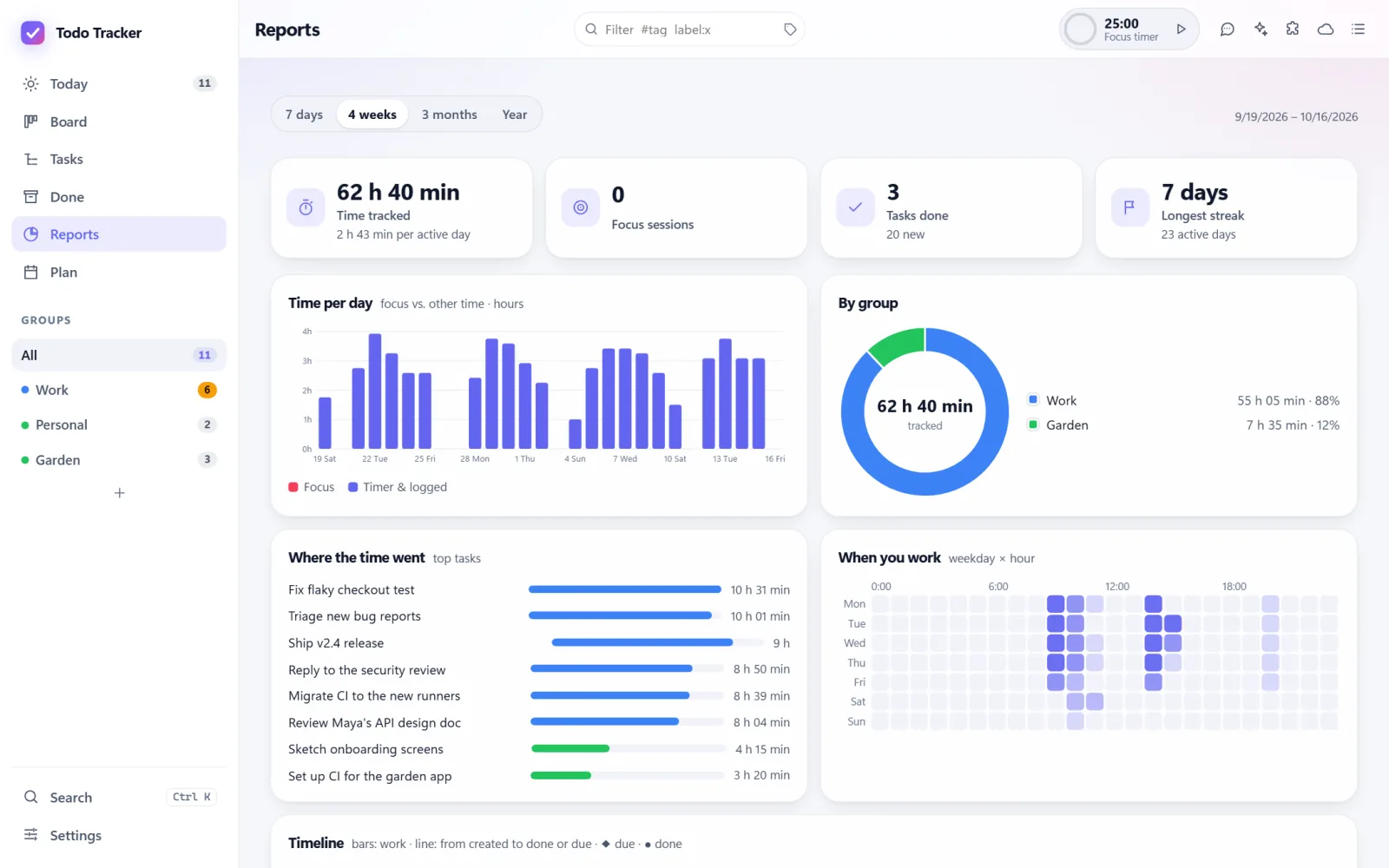
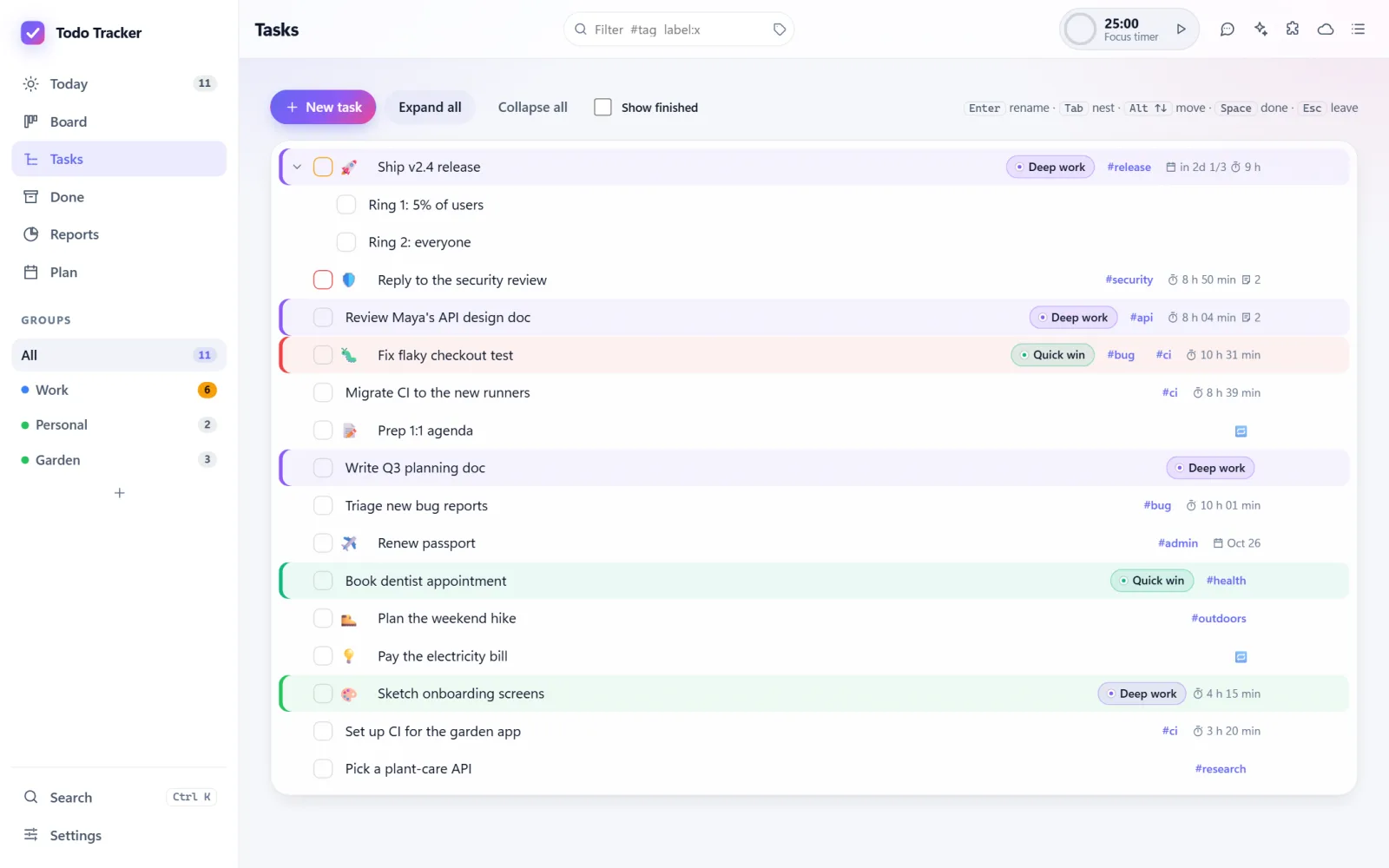
Sync
Your tasks folder stays in step with your other computers through OneDrive, iCloud Drive or a private GitHub gist. With OneDrive or iCloud Drive on the computer, there's nothing to set up.
Changed the same task on two computers? Both changes are kept. If the same line changed on both, you pick which one to keep, or keep both. Nothing you typed is lost.
Want your tasks somewhere else too? Connectors keep a group in step with Notion, Microsoft To Do or a private GitHub repository, and never delete anything on either side.
Platforms
Every app follows the same rules: the same Do now order, the same snooze choices, the same repeat rules.

It docks to the edge of your screen, so maximized windows don't cover it. Toasts for reminders, Ctrl+Alt+Space to capture, the whole app in its own window, and full-screen breaks on every monitor. Prefer a window? Float it, and keep it on top if you like.
Available
A native app with a menu bar glance: the focus task, Done, Later and capture. It runs the same server inside, so it uses the same tasks folder and syncs with your PC. For Apple silicon Macs.
Available
A tray app that runs everything. Add a task from the tray, or click it for the full window.
Available
The whole app in your browser at 127.0.0.1:5317, on this computer only. It comes with
every desktop app.
Available
A side panel for Edge, Chrome and Safari: glance, capture, and notes that keep the page you were on. Not in the stores yet; the app walks you through loading it.
Available
A native app with Today, snooze, notes, energy and the focus timer. For now it keeps its tasks on the device.
Available
A native app: Today, quick capture, snooze, notes, task timers, and the focus timer with full-screen breaks. For now it keeps its tasks on the device.
Coming soon
Connect your phone to your computer, and sync your tasks to your phone.

AI agents
Tell Claude or Copilot what you need to do and it lands in your list. Ask what to work on next. Let an agent log progress or break a project into steps.
You what should I work on now?
Agent Reply to the security review: it's critical and the review closes at 5 pm. Two findings are left. Want me to draft the replies?
You add follow-ups from this meeting: send Maya the API notes by Friday, book the offsite
Agent Added two tasks to Work: Send Maya the API notes (due Fri) and Book the offsite.
tt mcp works with Claude Desktop, Claude Code, GitHub Copilot CLI, VS Code, Cursor and
other MCP apps. It works on your tasks folder directly, even when the app isn't running.
tt commandFor terminals, scripts and agents that run commands: tt, tt add,
tt snooze, tt done. Add --json for scripts.
Open the .mcpb file and Claude shows an install dialog. That's it.
The tools plus a skill that teaches your agent to help well: capture, break down, log, defer, never delete.
# Claude Code
claude mcp add todo-tracker --scope user -- tt mcp

# The plugin, with the skill (Claude Code)
/plugin marketplace add shahabmokhtari/todo-tracker
/plugin install todo-tracker@todo-tracker
Or open ⋯ › Connect an AI app in the app: pick your app and copy one line.
Your files, your computer
Your tasks are markdown files in Documents/Todo Tracker: one folder per group, one file per
task, steps as checkboxes, notes as callouts. Edit them in the app, in Obsidian, in any editor, or with an
AI agent. The app picks up the changes.
127.0.0.1 only, checks the
address it was called on, and asks for a 256-bit token.Documents/Todo Tracker/
├── Work/
│ ├── Ship v2.4 release.md
│ └── Reply to the security review.md
└── Personal/
└── Renew passport.mdGet it
Todo Tracker isn't in the app stores yet. Ready-built apps for every platform are attached to each build on GitHub (sign in to GitHub to download them), or you can build it from the source.
Download a build Source on GitHub
# Windows, with the .NET 10 SDK
git clone https://github.com/shahabmokhtari/todo-tracker
cd todo-tracker
dotnet run --project src/TodoTracker.Windows